




Why client-side device integrity should be advisory
Client-side device integrity checks are security controls implemented within mobile applications to detect compromised environments such as rooted Android devices or jailbroken iOS devices, but they fail as security boundaries because they execute in attacker-controlled runtime environments where their decision logic can be observed, instrumented, and bypassed regardless of implementation complexity or signal aggregation.
Jailbreak and root detection are among the first hardening controls that most mobile teams implement, because a compromised device provides attackers with easier access to runtime instrumentation, memory inspection, traffic interception, and client-side tampering. Detecting these conditions early and refusing to run are considered reasonable baseline protections.
The problem is not with the idea. It is with the placement. When these checks run inside a process the attacker already controls, and when the application treats their results as authoritative, the control that was meant to be a trust boundary becomes a speed bump. During a recent engagement, we assessed a single React Native application on both iOS and Android. Both platforms shipped local integrity checks. Both were defeated at runtime within the same afternoon. Once those checks were removed from the decision path, each version of the app launched normally on a compromised device and exposed the rest of its client-side surface for analysis.
This post will detail what we found, describe how the bypasses worked, and most importantly, examine what this engagement reveals about the proper placement of trust boundaries in mobile applications.
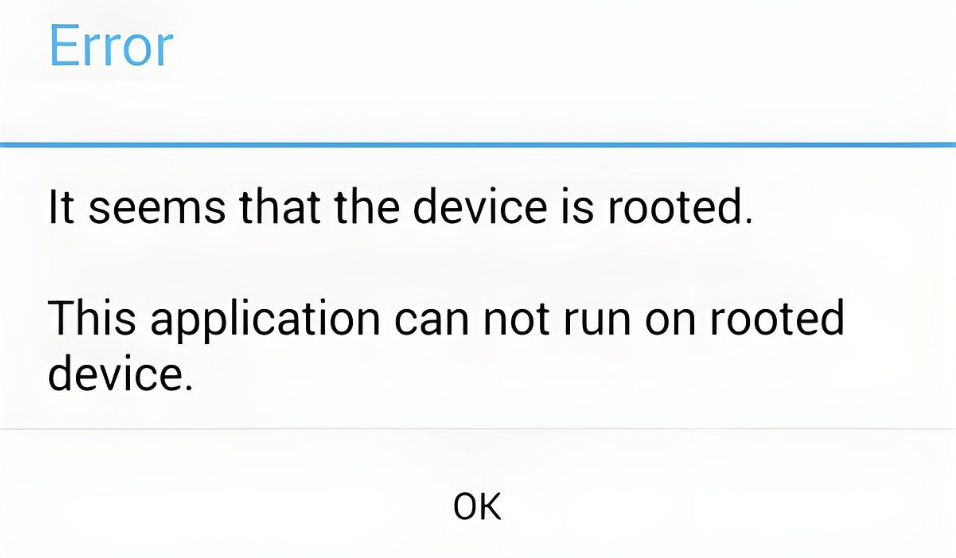
Why do mobile developers implement root and jailbreak detection?
The rationale behind these controls is sound. A rooted or jailbroken device is a friendlier environment for an attacker. Runtime instrumentation, debugging, memory inspection, and client-side patching all become easier once device protections have been weakened or deliberately removed.
That gives root and jailbreak detection real value. At minimum, they can deter casual misuse, raise the effort required for analysis, and generate useful signals about how much trust should be placed in a session.
Where applications run into trouble is when those controls are treated as a security boundary in their own right. On a user-controlled device, the logic used to determine whether the environment is “trusted” is itself open to inspection and manipulation. OWASP is explicit on this point: security should rely on verifiable design, strong cryptography, and server-side validation, and anti-tampering or obfuscation should not be used as a substitute for proper architecture.
What was the attack path for bypassing device integrity checks?
At a high level, the attacker’s path in this engagement followed these steps:
- The application was installed on a rooted or jailbroken device.
- The application refused to run because local integrity checks identified the device as compromised.
- Those checks were analysed and mapped during static and runtime review.
- The local decision points were then neutralised under instrumentation.
- Once the app launched normally, the attacker had a more permissive runtime for deeper analysis and client-side manipulation.
The target
The application under test was distributed as both an Android APK and an iOS IPA, built on React Native. On Android, the decompiled APK revealed a custom TurboModule, NativeRootDetectionModule, sitting alongside the open-source RootBeer library. Both were invoked from the React Native JavaScript layer through a single bridged method, isDeviceRootedOrJailbroken(). On iOS, the same method name appeared inside the compiled JavaScript bundle (main.jsbundle), along with localised strings such as mobile-app|general|device-is-jailbroken and the full user-facing warning text in more than thirty languages. Both platforms exposed the same cross-platform contract: one bridge method, one boolean, one decision.
That observation matters because it tells you immediately where the architectural weakness is. Whichever platform you are looking at, the final decision is a single boolean returned from a native module into a JavaScript layer that then chooses whether to render the app or a blocking error screen. An attacker who can influence that boolean – directly or indirectly – has defeated the control, regardless of how many signals fed into it.
Case study: Android
How was Android root detection bypassed using Frida instrumentation?
Static analysis of the APK in JADX surfaced two parallel root-detection mechanisms. The first was the custom bridge module, which implemented a minimal but typical set of checks:
public class NativeRootDetectionModule extends NativeRootDetectionModuleSpec {

    private Boolean checkForSuBinary() {
        String[] paths = {
            "/sbin/su", "/system/bin/su", "/system/xbin/su",
            "/data/local/xbin/su", "/data/local/bin/su",
            "/system/sd/xbin/su", "/system/bin/failsafe/su",
            "/data/local/su"
        };
        for (String p : paths) {
            if (new File(p).exists()) return true;
        }
        return false;
    }

    private Boolean checkForRootManagementApps() {
        String[] pkgs = {
            "com.noshufou.android.su", "eu.chainfire.supersu",
            "com.koushikdutta.superuser", "com.topjohnwu.magisk"
            /* ... */
        };
        PackageManager pm = getReactApplicationContext().getPackageManager();
        for (String pkg : pkgs) {
            try { pm.getPackageInfo(pkg, 0); return true; }
            catch (PackageManager.NameNotFoundException ignored) {}
        }
        return false;
    }

    private Boolean checkTestKeys() {
        String tags = Build.TAGS;
        return tags != null && tags.contains("test-keys");
    }

    @Override
    public Boolean isDeviceRootedOrJailbroken() {
        return checkForSuBinary()
            || checkForRootManagementApps()
            || checkTestKeys()
            || checkForRootAssociatedApps();
    }
}
The second mechanism was the bundled RootBeer library, whose isRooted() method aggregated nine separate signals:
public boolean isRooted() {
    return detectRootManagementApps()
        || detectPotentiallyDangerousApps()
        || checkForBinary("su")
        || checkForDangerousProps()
        || checkForRWPaths()
        || detectTestKeys()
        || checkSuExists()
        || checkForRootNative()
        || checkForMagiskBinary();
}
Taken together, the application was reading filesystem paths, enumerating packages, parsing getprop and mount output, inspecting Build.TAGS, shelling out to which su, and – in principle – invoking a native companion library for additional probes. In practice, the native companion (libtoolChecker) was not bundled in the APK at all. RootBeer’s checkForRootNative()method catches UnsatisfiedLinkError and returns false when the library cannot be loaded, which meant one of its more tamper-resistant checks was effectively disabled before the app ever reached a user’s device. It is a small packaging oversight, but worth noting: the most awkward check to hook at runtime was the one the build had quietly dropped.
Every remaining check was reachable from Frida’s Java layer. We wrote an instrumentation script that spawned the application in a paused state, hooked the relevant methods, forced benign return values for any probe that touched a known root indicator, and then resumed execution. The core of the script targeted java.io.File, Runtime.exec, PackageManager.getPackageInfo, and android.os.SystemProperties.get, together with a normalisation of Build.TAGS:
Java.perform(function () {
    const File = Java.use('java.io.File');
    ['exists','canRead','canWrite','isFile','isDirectory'].forEach(m => {
        File[m].implementation = function () {
            const p = String(this.getAbsolutePath());
            if (hasBadPath(p)) return false;
            return this[m].apply(this, arguments);
        };
    });

    const PM = Java.use('android.app.ApplicationPackageManager');
    const NameNotFound = Java.use('android.content.pm.PackageManager$NameNotFoundException');
    PM.getPackageInfo.overload('java.lang.String','int')
        .implementation = function (pkg, flags) {
            if (BAD_PACKAGES.indexOf(String(pkg)) !== -1) {
                throw NameNotFound.$new(pkg);
            }
            return this.getPackageInfo.apply(this, arguments);
        };

    const Build = Java.use('android.os.Build');
    Build.TAGS.value = "release-keys";
}); Running the script at process start produced the kind of trace every tester likes to see:[J] Build.TAGS original: test-keys
[J] Build.TAGS forced to release-keys
[J] File.exists(/sbin/su) => FORCED false (real=false)
[J] File.exists(/system/bin/su) => FORCED false (real=false)
[J] File.exists(/system/xbin/su) => FORCED false (real=false)
[J] getPackageInfo('com.topjohnwu.magisk') => NameNotFound (hidden)
[J] getPackageInfo('eu.chainfire.supersu') => NameNotFound (hidden)Every signal the application depended on – the file existence checks, the package lookups, the test-keys read – was being falsified at the point of query. With each input neutralised, the aggregate decision inside both NativeRootDetectionModule.isDeviceRootedOrJailbroken() and RootBeer.isRooted() evaluated to “not rooted,” and the application rendered its normal interface.
Case study: iOS
How was iOS jailbreak detection bypassed without source code access?
The iOS side of the engagement started in a different place and ended in the same one.
The IPA was installed on a jailbroken device running in a Corellium instance. At first launch, the application displayed a blocking error message and terminated, which is the behaviour you would expect from any serious consumer app distributed through the App Store. Our goal was to understand how that decision was being made and whether it could be influenced.
Static analysis of the main Mach-O binary was the obvious starting point, but it did not take us far. Inspecting the load commands with llvm-objdump revealed a cryptid of 1 – the binary was FairPlay-encrypted, as any App Store build will be – and strings returned essentially nothing readable from the encrypted region. Without an on-device decrypted dump, the native implementation of the jailbreak check was not available to us as a source. That sounds like a dead end, but it is actually the normal condition against App Store applications, and it pushes the assessment into the kind of behavioural analysis that more closely resembles how a real attacker would work.
What was readable was the JavaScript bundle. Searching main.jsbundle for jailbreak-related strings produced the user-facing warning text in dozens of languages, the same isDeviceRootedOrJailbroken identifier we had seen on Android, and the i18n key mobile-app|general|device-is-jailbroken. That confirmed the architectural picture: the iOS build was using the same React Native bridge contract as the Android build, with a platform-native implementation on the other side of the bridge that we could not read directly.
The next question was what primitives that the implementation relied on. We began with the assumption that it might be calling libc functions – stat, open, access, sysctl, fopen – because those are what a number of older jailbreak-detection tutorials recommend. We tried hooking each of them in turn with Frida. The hooks either failed to attach or had no effect on the application’s decision. That null result was informative: it told us the native implementation was not going through POSIX primitives. It was almost certainly using higher-level Objective-C APIs, which on iOS usually means NSFileManager for filesystem probes and UIApplication for URL scheme checks.
With that hypothesis, we wrote a small script targeting two selectors: -[NSFileManager fileExistsAtPath:] and -[UIApplication canOpenURL:]. For each, the script inspected the argument and forced a benign return value when the argument matched a known jailbreak artefact:
// hide_objc_fs.js - neuter common ObjC jailbreak checks
// Filesystem probes via NSFileManager and URL scheme checks via UIApplication.

(function () {
    if (!ObjC.available) return;

    function isJbPath(s) {
        if (!s) return false;
        const bad = [
            "/Applications/Cydia.app", "/Applications/Sileo.app",
            "/Library/MobileSubstrate", "/usr/sbin/sshd",
            "/usr/bin/ssh", "/bin/bash", "/etc/apt",
            "/private/var/lib/apt"
        ];
        return bad.some(p => s.indexOf(p) !== -1);
    }

    const NSFileManager = ObjC.classes.NSFileManager;
    Interceptor.attach(NSFileManager["- fileExistsAtPath:"].implementation, {
        onEnter(args) {
            try { this.path = new ObjC.Object(args[2]).toString(); }
            catch (_) { this.path = null; }
        },
        onLeave(rv) {
            if (isJbPath(this.path)) rv.replace(0x0);
        }
    });

    const UIApp = ObjC.classes.UIApplication;
    Interceptor.attach(UIApp["- canOpenURL:"].implementation, {
        onEnter(args) {
            try { this.url = new ObjC.Object(args[2]).absoluteString().toString(); }
            catch (_) { this.url = ""; }
        },
        onLeave(rv) {
            if (this.url.indexOf("cydia:") === 0 || this.url.indexOf("sileo:") === 0) {
                rv.replace(0x0);
            }
        }
    });
})();
Spawning the app paused, loading the script, and resuming was enough. The jailbreak banner never appeared. The application launched normally and presented its landing flow despite running on a fully jailbroken device. The two selectors we chose were enough to defeat the entire check, which is itself the most useful piece of evidence in this case: we had not read the source code of the detection logic, but the fact that hooking exactly those two methods was sufficient told us almost everything we needed to know about how it was implemented.
Why did both iOS and Android integrity checks fail despite different implementations?
Two very different code paths, two very different toolchains, one structural weakness. The Android implementation was verbose, aggregated nine or more signals, and used an off-the-shelf library with a good reputation. The iOS implementation was opaque to us from the outside and presumably more compact. Neither of those differences mattered to the outcome.
Both applications placed final authority in a boolean that was computed inside a process the attacker controlled. Every input to that boolean – whether it was File.exists() on Android or -[NSFileManager fileExistsAtPath:] on iOS – was reachable by the same instrumentation that the rest of the runtime exposed. The checks were not weak because they were poorly written. They were weak because of where they were asked to sit in the trust model. Any client-side-only decision point is recoverable by the client. No amount of additional local signals changes that; it only changes how long the recovery takes.
There is a secondary weakness worth naming. On Android, the application had no anti-instrumentation controls – no Frida detection, no ptrace-based anti-debugging, no integrity self-checks. That is not unusual, and it is not a failing on its own, but it meant that once we decided to instrument the process, there was nothing raising the cost of doing so. On iOS, the same was true. Raising that cost is what resilience controls are actually for. Treating them as a substitute for server-enforced trust is where they stop earning their keep.
What can attackers do after bypassing root and jailbreak detection?
Defeating a jailbreak or root check rarely exposes backend data on its own. What it does is remove a guardrail, and the impact of removing that guardrail depends entirely on what the rest of the application assumes about its runtime environment.
If sensitive logic is enforced only on the client – feature gating, input validation, business rules – then a permissive runtime gives an attacker direct leverage over it. If SSL pinning is the only defence against traffic interception, a client with neutralised pinning hooks will happily talk to an intercepting proxy. If backend authorisation trusts a client-supplied claim because the client is “supposed to be” running on a clean device, that trust is now misplaced. Conversely, an application whose backend already treats client integrity as one signal among many, and enforces its sensitive decisions server-side, will weather a bypass with much less damage. The bypass does not dictate the outcome. The wider architecture does.
In the engagement described here, defeating both root and jailbreak detection was the enabling step for the rest of the dynamic assessment: it unlocked the ability to observe the app’s behaviour under instrumentation, and by extension, the ability to investigate everything else that depended on the app running at all.
How should mobile apps implement device integrity controls correctly?
The right takeaway from any bypass of this kind is not to remove the local checks. It is to stop asking them to be the load-bearing wall.
- Move trust decisions to the backend
If device trust matters to a workflow, the durable place to enforce it is on the server, using integrity signals the server can verify independently. On Android that means treating Play Integrity as a backend-consumed verdict rather than a local allow-or-block check: the app obtains a token, the backend decrypts and verifies it, binds it to a specific request via a nonce, and decides how to respond. On iOS, App Attest fills a similar role for server-validated app and device integrity, with DeviceCheck as a narrower anti-fraud state service. In both cases the key design principle is the same – the client should not be asked to decide whether it is trustworthy. - Align resilience effort with attacker upside
Not every application needs anti-debugging, anti-instrumentation, and integrity self-checks. For a low-risk content app, basic local checks plus strong server-side validation may be enough. For a financial, payments, or fraud-sensitive app, the economics are different and the investment is usually justified. The right question is not “should we implement every resilience control” but “what kind of client-side abuse would materially harm this application, and how much user friction is proportionate to the threat?” - Use local checks as telemetry before you use them as gates
One of the most underused design patterns here is graded response. Instead of hard-failing at launch when a local check flags a rooted environment, the application can log the signal, forward it as part of the session’s risk posture, and let the backend decide what to do. That might mean triggering step-up authentication, lowering transaction limits, delaying fulfilment, or routing the session into higher observation. All of these responses are more resilient than a single local boolean, and they do not lock out legitimate users whose devices happen to trip a false positive. - Remember that cross-platform does not mean cross-attestation
React Native, Flutter, and similar frameworks make it tempting to look for a single abstraction that “solves attestation everywhere.” It does not exist, because the underlying platform guarantees are not identical. Play Integrity and App Attest have different verdict models, different operational characteristics, and different failure modes. A cross-platform app can wrap them for convenience, but the server-side verification and policy logic still have to be written per platform. The right architecture keeps the mobile layer thin, collects the right platform-native signals on each OS, and converts them into a common internal risk model on the backend.
Key takeaways
Root and jailbreak detection are still worth implementing. They deter casual misuse, raise the cost of analysis, and produce useful telemetry when they are wired into a sensible risk model. What they cannot do is carry the full weight of a trust decision on their own, because the runtime they execute in belongs to the attacker.
In this engagement, the same application on two platforms relied on local integrity checks that could be mapped during static or behavioural analysis and neutralised at runtime. Once the checks were out of the decision path, both versions ran normally, and the rest of the client-side surface opened up for inspection. Nothing about the individual checks was especially weak. The weakness was structural: client-side code asked to decide whether the client could be trusted.
The practical design target is not perfect local detection. It is an honest trust placement. Keep client-side checks as advisory telemetry and friction; use platform attestation where it fits; verify those signals on the backend; and apply graded responses to sessions that appear unverifiable. That is the posture that survives contact with an attacker who has root.
References
- Google – Overview of the Play Integrity API
- OWASP – MASTG-KNOW-0027: Root Detection
Written by
Shabaz Draey | Security Consultant
Shabaz is a Security Consultant specialising in offensive security, with a strong focus on mobile application security testing across Android and iOS platforms. His experience also includes web applications, APIs, cloud and infrastructure security, AI/LLM testing, phishing engagements, and advanced threat simulation.